Christmas card photo ideas that actually look good

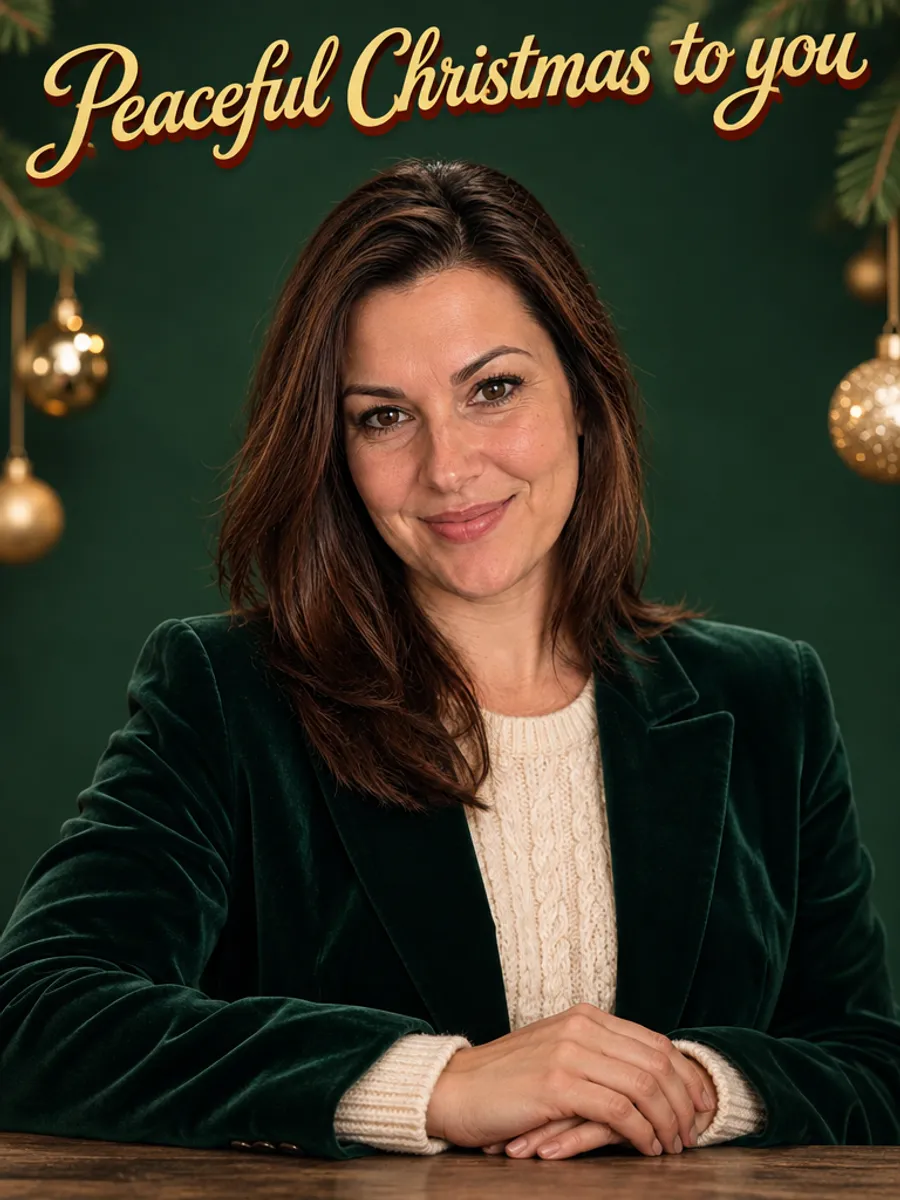

A good Christmas card photo is a simple portrait: a solid backdrop in red, green, cream or burgundy, one warm sweater or blazer, and empty space above your head for the greeting. Shoot it that way and the card reads well in a small size.
You can also skip the shoot. Type your greeting (up to 30 characters), upload one ordinary phone photo, and you get 8 card portraits with your lettering on them. The free preview has a watermark, and you pay only for the ones you pick.
Create my photoshoot(free preview)Pay only if you love the result · no sign-up
Christmas card photo ideas for a portrait
These eight setups cover most tastes. They are the ones we generate, and you can copy any of them with a camera too.
- Red backdrop: a cream turtleneck, arms crossed and white lettering above your head
- Forest green: a velvet blazer, gold ornaments at the edges of the frame and gold lettering
- Pastel pink: a white sweater, a small gold star in your hand and dark red lettering
- Cream backdrop: a red Nordic sweater and a small gift with a red ribbon
- Navy and snow: a cream cable-knit sweater, a chunky scarf and a mug in your hands
- In string lights: a black turtleneck, a strand of warm lights and gold lettering on beige
- Burgundy backdrop: an ivory blazer and a fir sprig tied with a red ribbon
- Playful: a red sweater, a Santa hat and red lettering on white
What to wear in a Christmas card photo
Pick one texture and one color family. Knit, velvet and wool photograph well in warm light. Avoid busy patterns and big slogans: on a small card they fight with your face and with the lettering.
Contrast with the backdrop matters more than the exact color. A cream sweater on red works, a red sweater on red disappears.
How to frame a Christmas card photo
The card is small, so frame for the small version.
- Shoot from chest up. Full-body shots shrink your face to a dot on a 5x7 card
- Leave a band of empty space above or beside you for the greeting
- Keep the lettering off your face and hands
- Use one light source, like a window, and stand a step away from the wall to avoid a shadow behind you
- Take the photo upright if the card is upright
How to make an AI Christmas card with your photo
This takes a few minutes and needs no design software.
- Type your greeting. The default is "Merry Christmas!" and you can change it
- Upload one ordinary phone photo with your face clearly visible, in daylight, only you in the frame
- Check the 8 watermarked previews, including how the lettering turned out
- Pay for the ones you like: $9 for one, $35 for all 8, or from $4.38 each when you take them all
What to do with the file
After payment you download full-quality photos with no watermark. From there:
- Text or email it to family and friends as the card itself
- Post it with your holiday message
- Print it at a photo shop and put it in an envelope, or choose a print service with greeting card templates
- Print a few and tuck them into gifts
Limits to know before you start
These are AI-generated portraits, not a real studio shoot. Your face stays yours, and the backdrop, outfit and light are generated. Each photo shows one person, so a family card with everyone in it still needs a real photo. Children and pets are not supported.
AI lettering is usually clean but can occasionally have a flaw. Check the greeting in the preview before you pay. Keep it short: a few words fit better than a sentence.
Your christmas card — free preview
8 photos to look at, usually ready in 2–5 minutes. No sign-up.
✅ A photo like this is enough



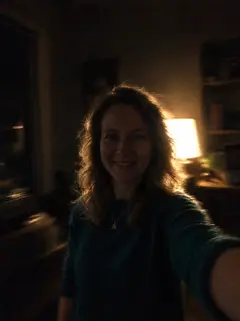
Face clearly visible, daylight, only you. The examples above were made from these photos.
❌ These won’t make a good photoshoot



All about Christmas card: examples, pricing and questions →
Questions
What is a good photo for a Christmas card?
A portrait from the chest up, on a solid backdrop, in a warm sweater or blazer, with empty space for the greeting. Natural light from a window helps.
Can I add my own greeting to the photo?
Yes. You type it before you upload, up to 30 characters, and it appears on every portrait in a different color and position. If you do not type one, it says "Merry Christmas!"
Can the whole family be on the card?
Not with us. Each photo shows one person. For a family card, take a group photo yourself and add your greeting in any card app.
How much does a Christmas card photo cost?
You get a free preview. You pay for the photos you pick: $9 for one, $35 for all 8.
How do I print the card?
Download the full-quality photo after paying, then print it at a photo shop or upload it to a card printing service. The photo already has your greeting on it.
What should I wear for a Christmas card photo?
One warm texture in one color family: a cream cable knit, a velvet blazer or a red sweater. Skip busy patterns. In the AI version the outfit is generated, so you can upload a photo in anything.
Does it look like me?
Usually, because the portraits are built from your face. Not every one comes out equally well, which is why you check the preview before paying.